
Overview
Parameters
Parameters are divided into categories and can have multiple types. Here we have an example of all possible parameters into a single "general" category.

[
    {
        "category": "general",
        "model": "default",
        "params": [
            {
                "text": "param 1",
                "value": 1,
                "type": "Number",
                "hint": "this is a hint",
                "rules": ["required"],
                "name": "name_in_python_1"
            },
            {
                "text": "number param",
                "value": 2,
                "type": "Number",
                "units":"secs",
                "hint": "this is a hint",
                "rules": ["required", "largerThanZero", "nonNegative"],
                "name": "name_in_python_2"
            },
            {
                "text": "string param",
                "value": "default value",
                "type": "String",
                "hint": "this is a hint",
                "rules": [],
                "name": "name_in_python_3"
            },
            {
                "text": "bool param",
                "value": true,
                "type": "Boolean",
                "hint": "this is a hint",
                "rules": [],
                "name": "name_in_python_4"
            },
            {
                "text":"single Choices",
                "value":"rail",
                "items":[
                   "rail",
                   "subway",
                   "bus"
                ],
                "type":"String",
                "hint":"this is a hint",
                "rules":["required"],
                "name":"name_in_python_5"
             },
             {
                "text":"Multiple Choices",
                "value":["rail", "subway"],
                "multiple":true,
                "items":[
                   "rail",
                   "subway",
                   "bus"
                ],
                "type":"String",
                "hint":"this is a hint",
                "rules":["required"],
                "name":"name_in_python_6"
             },
             {
                "text":"Scenario selector",
                "value":[""],
                "multiple":true,
                "items": "$scenarios",
                "type":"String",
                "hint":"this is a hint",
                "rules":["required"],
                "name":"name_in_python_7"
             }
        ]
    }
]
Scenario Lock
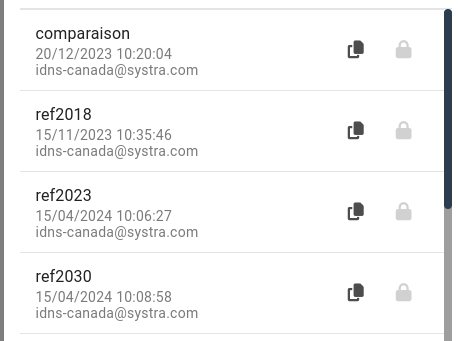
you can lock any scenario simply by adding a .lock empty file at the root dir of the project
├─ inputs
|  ├─ pt
|  |  ├─ links.geojson
|  │  └─ nodes.geojson
|  ├─ road
|  |  ├─ road_links.geojson
|  │  └─ road_nodes.geojson
|  ├─ params.json
│  └─ ...
├─ outputs
│  └─ ...
├─ styles.json
├─ .lock
└─ ...
There is also a script provided to lock or unlock one or many scenarios
python lock-scenarios.py <model_folder> <scenario1> <scenario2>python unlock-scenarios.py <model_folder> <scenario1> <scenario2>Note
scenario named base is always lock
Model Config
This file is unique for a model (under _common/ in the database) and is used to defined some parameters in the front-end such as display units
TIP
modelConfig can also be added in inputs/modelConfig.json in a zip file instead. this one will have priority over a global one.
{
    "version": 0, // for future migration
    "attributesChoices": {
        "links": {
            "pickup_type": [
                0,
                1,
            ],
            "drop_off_type": [
                0,
                1,
            ]
        },
        "road_links": {
            "oneway": [
                "0",
                "1"
            ],
            "cycleway":[
                "yes",
                "no",
                "shared"
            ],

        }
    },
       "units": {
        "headway": "min",
        "time": "min",
        "length": "km"
    }
}
Attributes choices
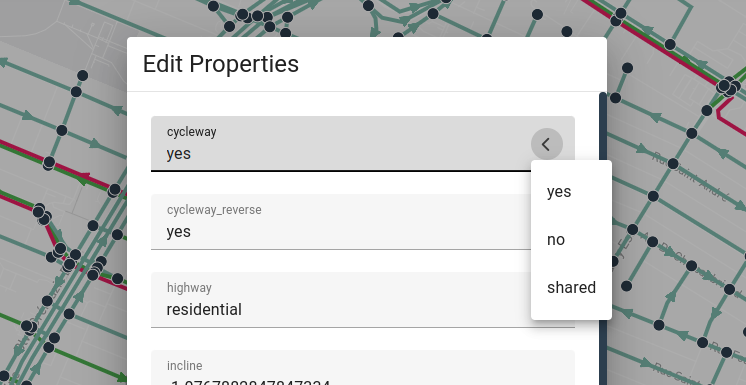
attributesChoices This gives choices for PT and/or road attributes.
units
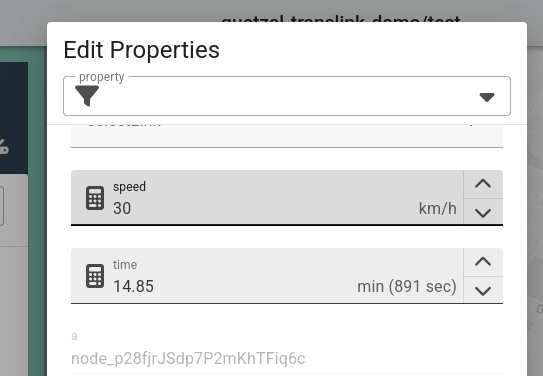
units let you set different units in the editions. this will not change the actual values to maximize compatibility with Apis (time will stay in seconds in the exported files).
Step choices
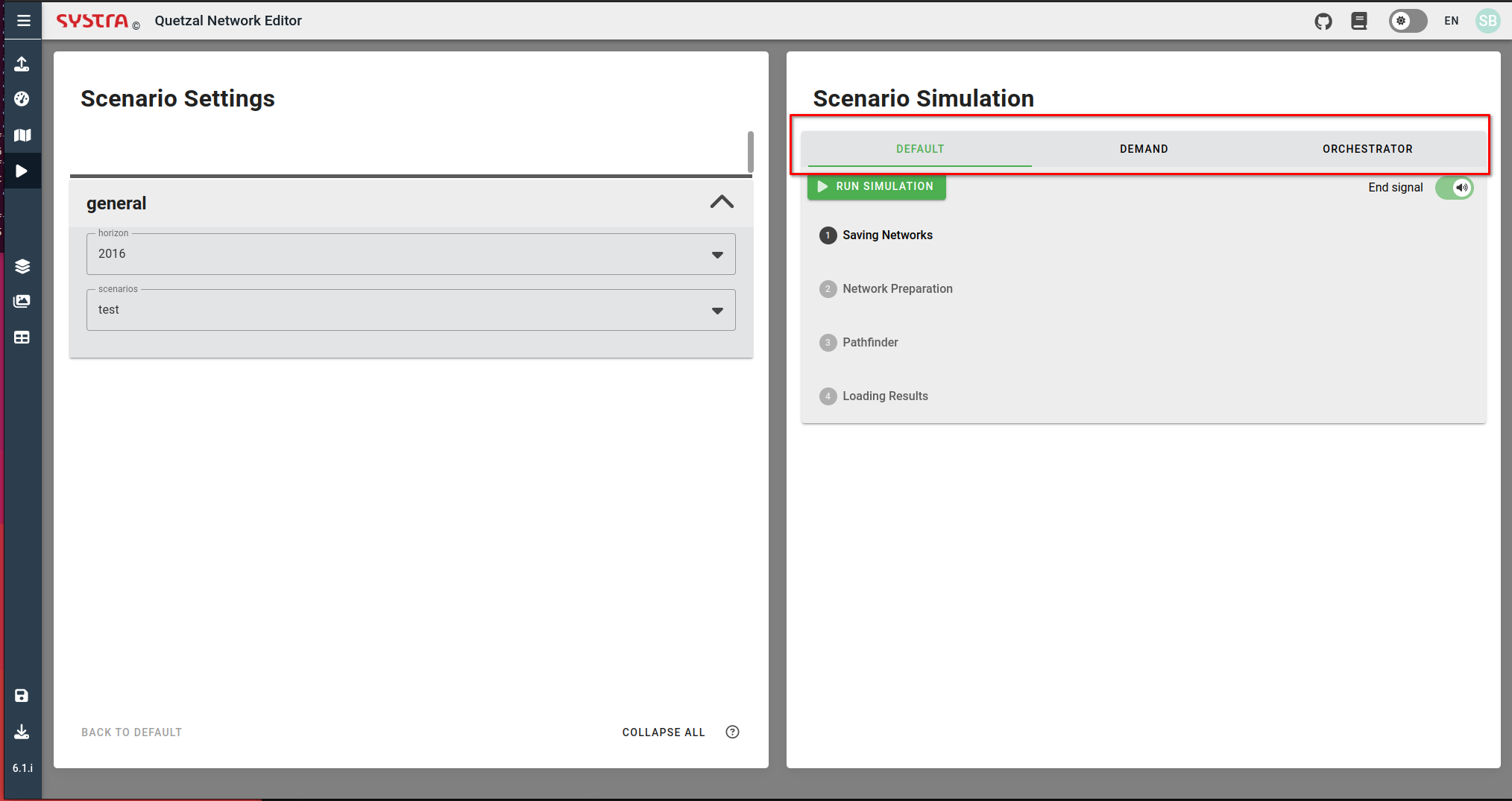
In the steps definition (step-functions.json or steps.json), you can add a choice to run different pipeline of steps.
Those pipeline are globally defined for a model, but their availability per scenario is defined by the parameters.json file.
TIP
You can add as many choices as you want. in this case we have 3 pipelines: default, demand and orchestrator.
// add this as the first step (after Authorization)
"Choice": {
    "Type": "Choice",
    "Choices": [
    {
        "Variable": "$.choice",
        "StringEquals": "demand",
        "Next": "Step 3"
    },
    {
        "Variable": "$.choice",
        "StringEquals": "orchestrator",
        "Next": "Step 2"
    }
    ],
    "Default": "Step 1"
},[
{
"name": "default",
"steps": [
{
"name": "step 1",
"path": "notebooks/2_model/test_1.ipynb"
},
{
"name": "step 2",
"path": "notebooks/2_model/test_2.ipynb"
}
]
},
{
"name": "orchestrator",
"steps": [
{
"name": "orchestrator",
"path": "notebooks/2_model/orchestrator.ipynb"
}
]
},
{
"name": "demand",
"steps": [
{
"name": "demand step 1",
"path": "notebooks/2_model/demand.ipynb"
}
]
}
]Then. You need to add parameters specific to each Choice into the keyword "model".
TIP
The app will only display The choices if there are parameters associated to them. This allow us to have a Comparision scenario with one pipeline and a base scenario with another pipeline for example.
[
    {
        "info": "default info",
        "model": "default"
    },
    {
        "info": "demand info",
        "model": "demand"
    },
    {
        "info": "orchestrator info",
        "model": "orchestrator"
    },
    {
        "category": "general",
        "model": [
            "default",
            "demand",
            "orchestrator"
        ],
        "params": [
            {
                "text": "number",
                "value": 44,
                "type": "Number",
                "hint": "this is a hiny",
                "rules": [
                    "required"
                ],
                "name": "param_name"
            }
        ]
    }
]
Note
model keyword accept a list or a string.
Parallel Step function
Parallel step function are supported. See with an administrator how to configure it.